
Project-wide search and replace
Search by literal, regular expression, or fuzzy match; filter by globs, case, whole words, diacritics, ignored files, or the main document. Review replacements before applying and undo a whole batch.
Complex-script Typst editor · v0.10.0
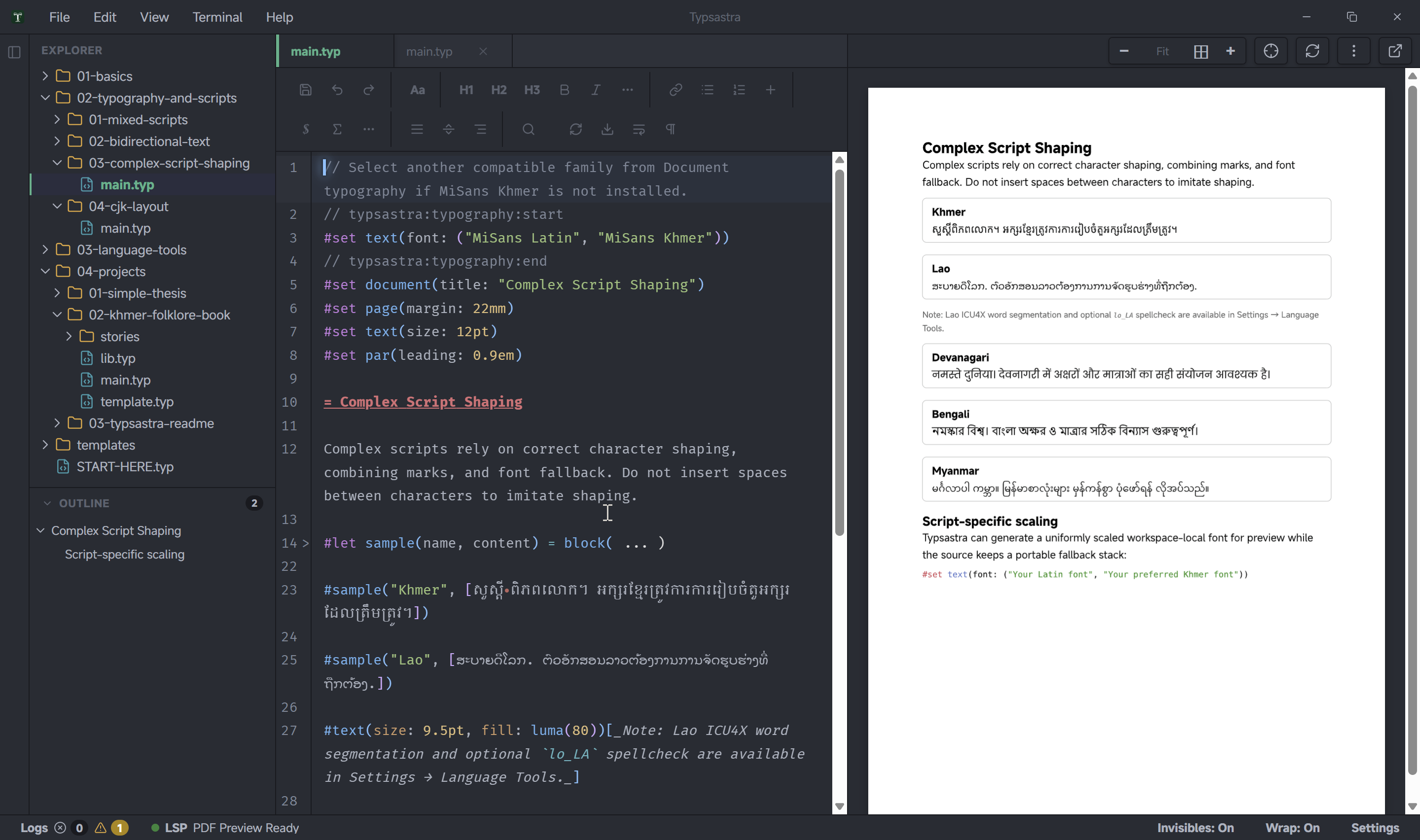
Typsastra is a cross-platform Typst editor for research, publishing, and long-form multilingual writing. It combines Unicode-aware source editing, Tinymist language intelligence, and scalable PDF preview in one desktop workspace.
Latest release · v0.10.0
Typsastra v0.10.0 completes the multi-file navigation, editing, and recovery work planned for this release, and adds built-in interface localization and global document-language defaults.
Search by literal, regular expression, or fuzzy match; filter by globs, case, whole words, diacritics, ignored files, or the main document. Review replacements before applying and undo a whole batch.
Follow one shared main-document outline, move Back and Forward across search, outline, definitions, diagnostics, and inverse sync, and reach every open tab from a scrollable tab bar.
Recover inactive dirty tabs and pathless untitled buffers from snapshots reviewed in a unified diff. Files restore as unsaved buffers, so source files are never overwritten.
.typsastra archive schema is unchanged, so existing projects remain compatible. Windows MSI packages are unsigned; macOS remains experimental, unsigned, and unnotarized.Built for real writing
Move, select, and delete visible characters as grapheme clusters rather than splitting combining sequences.
Preserve native input-method composition so complex text can be entered without fighting the editor.
Use Tinymist for diagnostics, completion, formatting, preview, and source synchronization.
Character-safe interaction
Typsastra adds script-aware policies to CodeMirror 6 while keeping standard desktop editing conventions and native IME behavior.
Long documents
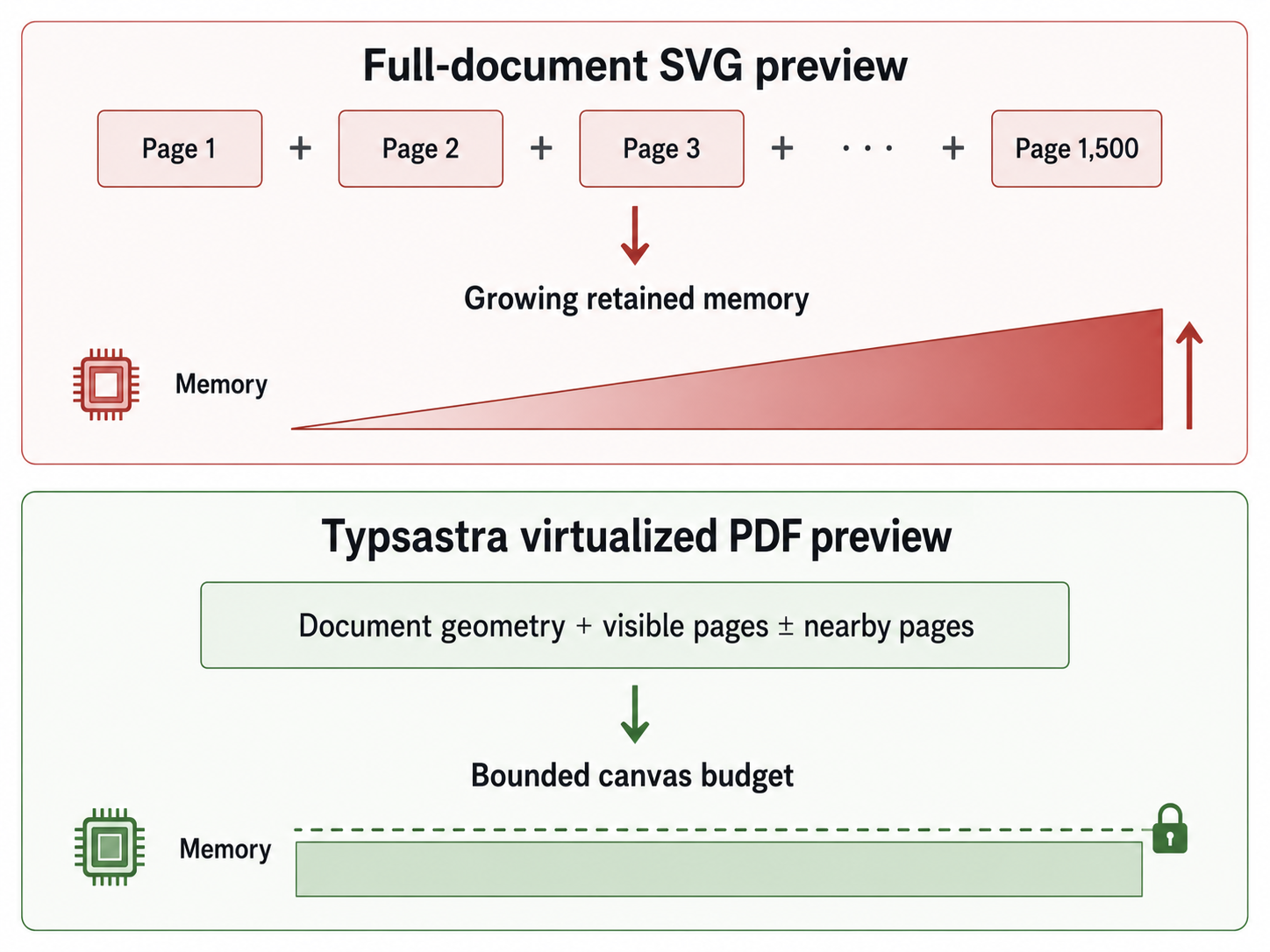
The bounded, virtualized PDF viewer limits active page work for more predictable interaction with long documents. Direct PDF viewing, search, selection, and copy are available in the same workspace.
Available now
Download the latest v0.10.0 release or open the tutorials and feature guides.